What Are Email Inbox Placement Tools?
Email inbox placement tools help businesses understand where their emails are delivered after sending. Instead of looking only at whether an email was accepted by the recipient's mail server, these tools help determine whether messages reach the primary inbox, another inbox tab, the spam folder, or fail to appear.
This distinction matters because email delivery and inbox placement are not the same thing. A server can accept an email even when the recipient's provider later filters it into spam.
Depending on the platform, inbox placement tools can provide:
- Seed-list testing across Gmail, Outlook, Yahoo, and other providers.
- Spam-filter and message-content analysis.
- Sender reputation and domain monitoring.
- SPF, DKIM, and DMARC authentication checks.
- Email list verification and bounce-risk detection.
- Blocklist monitoring and deliverability reports.
For sales teams, agencies, and email marketers, these insights help identify delivery problems before they affect campaign performance.
Best Tools to Improve Email Inbox Placement Rate
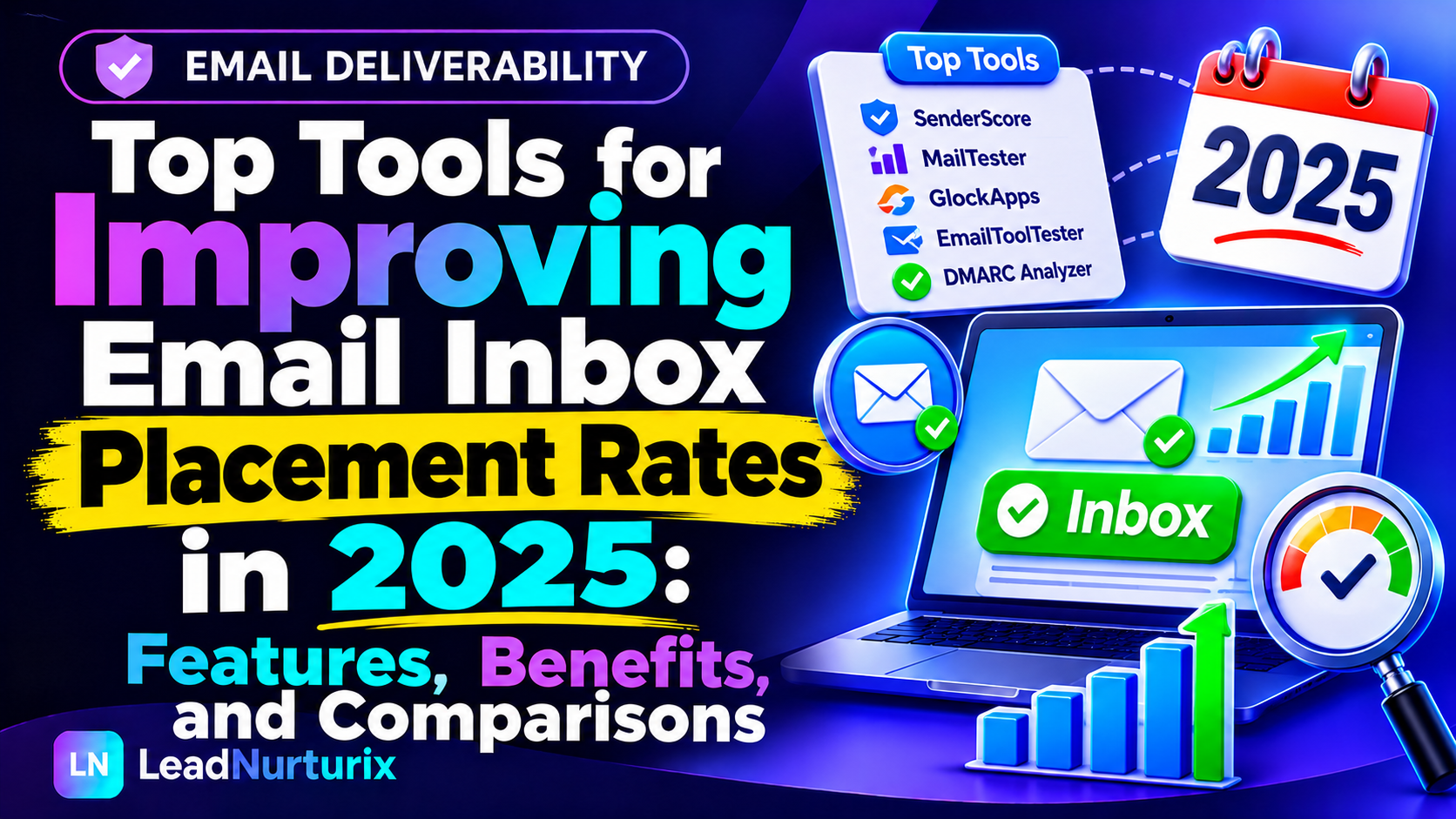
The following tools cover different parts of email deliverability. Some test inbox placement directly, while others monitor reputation, authentication, or list quality. Understanding these differences will help you choose the right combination.
1. GlockApps – Best for Inbox Placement Testing
GlockApps is an email deliverability platform designed to help senders understand how their messages perform across different mailbox providers.
Its inbox placement testing uses seed email addresses to show whether test messages arrive in the inbox, spam folder, or other email categories. This makes it useful for businesses that want to identify potential filtering problems before launching a campaign.
Key features:
- Inbox placement testing across multiple email providers.
- Spam-filter and message-content analysis.
- SPF, DKIM, and DMARC checks.
- Domain and IP blocklist monitoring.
- Deliverability reports and monitoring.
Best for: Marketing teams, agencies, and businesses that regularly test email campaigns before sending them to large audiences.
Limitation: Seed testing provides an indication of placement, not a guarantee of how every real recipient will receive your email.
Website: https://glockapps.com/
2. MailReach – Best for Cold Email Deliverability
MailReach is designed for businesses and sales teams that depend on outbound email. It combines email deliverability testing with mailbox-related monitoring and warm-up functionality.
Its spam-testing capabilities help identify potential inbox placement problems across test accounts. This can be particularly useful when launching a new cold email campaign or investigating why messages from a particular mailbox are reaching spam.
Key features:
- Email spam and placement testing.
- Mailbox warm-up functionality.
- Deliverability monitoring.
- Insights into potential sending problems.
- Support for cold email workflows.
Best for: B2B sales teams, lead generation agencies, and professionals using multiple mailboxes for outbound campaigns.
Limitation: Warm-up activity does not guarantee inbox placement. Sending practices, recipient engagement, authentication, and domain reputation still matter.
Website: https://mailreach.co/
3. Google Postmaster Tools – Best for Gmail Reputation Monitoring
Google Postmaster Tools is a free resource for monitoring information about outgoing emails sent to personal Gmail accounts.
It provides valuable insights into how Gmail views your sending domain and IP addresses. Instead of relying entirely on third-party testing, senders can use Google's own reporting to investigate reputation and authentication issues.
Key features:
- Domain reputation monitoring.
- IP reputation information.
- Gmail spam-rate reporting.
- SPF, DKIM, and DMARC authentication data.
- Delivery-error information.
- Compliance status monitoring.
Best for: Businesses, email marketers, and high-volume senders who regularly send messages to Gmail users.
Limitation: Its data is specific to personal Gmail accounts, not every mailbox provider. Reporting is also not real-time, and low sending volumes may result in limited data.
Website: https://postmaster.google.com/
4. Validity Engage – Best for Enterprise Email Deliverability
Validity Engage is an email marketing and deliverability platform for organizations managing larger or more complex email programs.
It brings deliverability insights into a broader email marketing environment. Enterprise teams can use this type of platform to investigate inbox placement, sender reputation, and other factors affecting email performance.
Key features:
- Email deliverability monitoring.
- Inbox placement insights.
- Sender reputation analysis.
- Authentication-related diagnostics.
- Reporting for larger email programs.
Best for: Enterprise marketing teams, large brands, and organizations with substantial email volumes.
Limitation: It may be more than a small business or individual cold email sender needs. Contact the provider to confirm the specific features and pricing available for your requirements.
Website: https://www.validity.com/
5. Microsoft SNDS – Best for Microsoft Outlook Sending Insights
Microsoft Smart Network Data Services (SNDS) helps eligible senders monitor the health and reputation of their sending IP addresses when delivering email to Microsoft's consumer email services.
This is particularly relevant for businesses whose audiences include Outlook.com, Hotmail, and other Microsoft consumer mailbox users.
Key features:
- Sending IP reputation information.
- Traffic and complaint-related insights.
- Data that can help identify sending problems.
- Monitoring for eligible sending IP addresses.
Best for: Businesses and email operators sending significant volumes to Microsoft consumer mailboxes.
Limitation: SNDS is not a universal inbox placement tester. Its data is focused on Microsoft's email ecosystem and eligible sending infrastructure.
Website: https://sendersupport.olc.protection.outlook.com/snds/
6. Mail-Tester – Best for Quick Email Spam Checks
Mail-Tester provides a straightforward way to inspect an email before sending it to a larger audience.
You send a test message to the address provided by the platform, and it generates a report highlighting potential issues with the message and sending configuration.
Key features:
- Email spam-score testing.
- Message-content inspection.
- Authentication-related checks.
- Technical configuration feedback.
- Recommendations for addressing detected problems.
Best for: Freelancers, small businesses, and marketers who want to perform a quick pre-send check.
Limitation: A good spam score does not prove that your message will reach the primary inbox. Mail-Tester should be treated as a diagnostic tool rather than a complete inbox placement solution.
Website: https://www.mail-tester.com/
7. ZeroBounce – Best for Email List Verification
An unhealthy email list can damage campaign performance through invalid addresses, hard bounces, and other unwanted sending outcomes.
ZeroBounce focuses on email verification and data quality. It helps businesses identify potentially problematic email addresses before adding them to campaigns.
Key features:
- Email address validation.
- Detection of invalid and risky addresses.
- Catch-all and other address classifications.
- Email list cleaning.
- Data enrichment and related email intelligence features.
Best for: Lead generation agencies, sales teams, email marketers, and businesses maintaining large contact databases.
Limitation: Email verification does not directly measure inbox placement. A valid email address can still receive your message in spam.
Website: https://www.zerobounce.net/
8. MXToolbox – Best for Email DNS and Blocklist Monitoring
MXToolbox provides diagnostic tools that help administrators investigate DNS configuration and email infrastructure issues.
It is particularly useful when checking whether a sending domain has correctly configured email authentication records or whether a sending IP or domain appears on relevant blocklists.
Key features:
- SPF, DKIM, and DMARC record checks.
- DNS diagnostics.
- Email server and MX record lookups.
- Blocklist monitoring.
- Email delivery-related diagnostics.
Best for: IT administrators, technical teams, and businesses troubleshooting domain or email infrastructure problems.
Limitation: DNS checks and blocklist monitoring are not the same as testing whether a message reaches the inbox. Use a dedicated placement tester when you need seed-inbox results.
Website: https://mxtoolbox.com/
9. dmarcian – Best for DMARC Reporting and Authentication Visibility
DMARC plays an important role in protecting sending domains against spoofing and helping organizations understand whether their email authentication is aligned.
dmarcian helps businesses interpret DMARC reports and identify email sources that are sending messages using their domains.
Key features:
- DMARC record inspection.
- DMARC aggregate report analysis.
- Visibility into sending sources.
- SPF and DKIM alignment insights.
- Authentication troubleshooting.
Best for: Businesses managing multiple sending sources, domains, and email services.
Limitation: DMARC reporting helps identify authentication problems, but it does not directly test inbox placement or guarantee that authenticated messages will avoid spam.
Website: https://dmarcian.com/
Comparison of the Best Email Inbox Placement Tools
Different tools solve different deliverability problems. Use this comparison to identify which platform matches your requirements.
| Tool | Primary purpose | Best for |
|---|---|---|
| GlockApps | Seed-list inbox placement testing | Marketing teams and agencies |
| MailReach | Cold email testing and warm-up | B2B sales teams |
| Google Postmaster Tools | Gmail reputation monitoring | Gmail senders |
| Validity Engage | Enterprise deliverability insights | Large organizations |
| Microsoft SNDS | Microsoft sending IP insights | Outlook-focused senders |
| Mail-Tester | Message and spam-score checks | Small businesses |
| ZeroBounce | Email verification | Lead generation teams |
| MXToolbox | DNS and blocklist diagnostics | Technical teams |
| dmarcian | DMARC reporting | Domain administrators |
Important: These platforms are not direct replacements for one another. For example, an email verification tool cannot tell you exactly where a test message landed, while a seed-list placement test cannot clean an outdated contact database.
How to Choose the Right Email Inbox Placement Tool
Before purchasing a subscription, identify the specific problem affecting your email campaigns.
1. Identify Where Your Emails Are Going
If you suspect your emails are reaching spam, start with an inbox placement testing platform.
GlockApps and MailReach can help you investigate placement across test inboxes. This gives you a better understanding of how different providers handle your messages.
2. Check Your Domain Reputation
Your sending domain's reputation can influence how mailbox providers handle incoming messages.
For Gmail, Google Postmaster Tools provides reputation and spam-rate information when sufficient data is available. For Microsoft consumer mailboxes, eligible senders can investigate sending IP data through SNDS.
3. Verify Email Authentication
Incorrect or missing authentication records can create serious delivery problems.
Check whether your sending domain has correctly configured:
- SPF: Identifies which servers are authorized to send email for your domain.
- DKIM: Adds a cryptographic signature that helps receiving servers verify message authenticity.
- DMARC: Defines how receiving servers should handle messages that fail authentication checks and provides reporting.
You can use LeadNurturix tools to inspect your email setup:
4. Clean Your Email Contact List
Sending campaigns to invalid or outdated addresses can increase bounce rates and create unnecessary deliverability risks.
Use an email verification platform such as ZeroBounce to identify problematic addresses before importing contacts into your sending platform.
5. Test Your Email Content
Your message content, links, formatting, and sending behavior can all influence how providers evaluate your emails.
Before launching a campaign, use an email testing tool to identify suspicious content or technical problems.
You can also try the LeadNurturix Email Spam Checker to review your email copy for potential spam-related issues.
How to Improve Email Inbox Placement Rate Using These Tools
Having access to deliverability tools is only useful when you apply their findings to your sending process. Follow these steps to build a more reliable email workflow.
Step 1: Audit Your Sending Domain
Start by checking your domain's DNS configuration and authentication records.
Verify that SPF, DKIM, and DMARC are correctly configured. Review your DNS records for conflicts, incorrect values, or missing entries.
A LeadNurturix Domain Scanner can help you investigate domain-related configuration issues.
Step 2: Run an Inbox Placement Test
Use a dedicated placement testing platform to send a test message to seed addresses across different providers.
Review the results carefully:
- Which providers placed the message in the inbox?
- Which providers filtered it into spam?
- Were any messages missing?
- Did the results differ between Gmail and Outlook?
Do not rely on one test alone. Repeat testing when you make significant changes to your sending setup or email content.
Step 3: Review Your Sender Reputation
Monitor available reputation data through Google Postmaster Tools and other relevant provider dashboards.
Look for changes in domain reputation, IP reputation, spam complaints, and delivery errors.
Remember that reputation dashboards may have reporting delays or limited data, particularly when sending volumes are low.
Step 4: Verify Your Contact Database
Before launching a campaign, remove invalid addresses and investigate risky contacts.
Use a verification platform to reduce avoidable bounces. Also, make sure your prospecting process follows applicable privacy rules and email marketing requirements.
Step 5: Improve Your Email Content
Write relevant messages that clearly explain why the recipient is receiving them.
Avoid misleading subject lines, excessive links, unnecessary attachments, and exaggerated claims. Keep your message focused on a useful and relevant conversation.
Step 6: Monitor Campaign Performance
After launching your campaign, review bounce rates, replies, complaints, and provider-specific delivery signals where available.
Do not judge deliverability using open rates alone. Open tracking can be affected by privacy features and does not reliably prove that a message reached the primary inbox.
Step 7: Adjust Your Sending Strategy
If you identify a problem, investigate its likely cause before increasing volume or changing multiple settings at once.
For example:
- High bounce rates may indicate poor list quality.
- Authentication failures may indicate DNS or configuration problems.
- Poor Gmail reputation may require changes to sending practices and recipient targeting.
- Provider-specific spam placement may require further testing and investigation.
Make one meaningful change at a time and monitor the results.
Common Mistakes to Avoid When Improving Inbox Placement
Even businesses using professional deliverability platforms can experience inbox placement problems when their sending practices are poor.
Avoid these common mistakes:
Relying only on email warm-up: Warm-up activity does not guarantee inbox delivery or establish a strong sender reputation by itself.
Ignoring authentication: Missing or incorrectly configured SPF, DKIM, and DMARC records can create avoidable delivery issues.
Sending to unverified contacts: Invalid and outdated email addresses can increase bounce rates and harm campaign performance.
Testing only once: A single placement test is a snapshot, not a permanent measure of deliverability.
Ignoring spam complaints: Recipient complaints can negatively affect reputation and future inbox placement.
Increasing volume too quickly: Sudden changes in sending volume can create reputation and filtering problems, particularly for new or previously inactive domains.
Assuming a spam score guarantees inbox delivery: A message can pass a content test and still be filtered because of sender reputation, recipient behavior, or other provider-specific signals.
Frequently Asked Questions
1. What is the best tool to improve email inbox placement rate?
GlockApps is a strong option for dedicated seed-list inbox placement testing. MailReach is worth considering for cold email workflows, while Google Postmaster Tools is useful for monitoring Gmail reputation. The best choice depends on the specific issue you need to investigate.
2. How can I check whether my emails are going to spam?
You can use an inbox placement testing tool such as GlockApps or MailReach to send test messages to seed inboxes. You should also monitor available reputation and delivery information through provider dashboards.
3. Is Google Postmaster Tools free?
Yes. Google Postmaster Tools is available without a paid subscription. It provides information about outgoing email sent to personal Gmail accounts, including spam rates, domain reputation, IP reputation, and authentication data.
4. Do email spam checkers guarantee inbox delivery?
No. Spam checkers identify potential content and technical issues, but they cannot guarantee inbox delivery. Mailbox providers use multiple signals, including sender reputation, authentication, recipient behavior, and message characteristics.
5. Can email verification improve inbox placement?
Email verification can help reduce invalid addresses and avoidable bounces. However, it does not directly guarantee better inbox placement. List quality is one part of a broader deliverability strategy.
6. What is the difference between email delivery and inbox placement?
Email delivery generally means that the receiving server accepted the message. Inbox placement describes where the message appears after filtering, such as the primary inbox, Promotions tab, or spam folder.
7. How often should I test email inbox placement?
Test before launching important campaigns, after making significant changes to your sending infrastructure, and periodically during ongoing campaigns. The frequency depends on your sending volume and the importance of consistent delivery.
8. Does SPF, DKIM, and DMARC improve email deliverability?
Correctly configured SPF, DKIM, and DMARC help receiving providers authenticate your messages and protect your domain against spoofing. They are important parts of email deliverability, but authentication alone does not guarantee inbox placement.
9. What spam rate should email senders maintain?
Google recommends keeping the user-reported spam rate below 0.10% and avoiding a rate of 0.30% or higher. Senders should aim to keep complaints as low as possible rather than treating 0.30% as an acceptable target.
Final Thoughts
Improving email inbox placement requires more than purchasing a single deliverability tool. Businesses need to understand how their messages are handled by different mailbox providers, maintain reliable sender authentication, monitor domain reputation, and keep their contact databases clean.
For dedicated inbox placement testing, consider GlockApps or MailReach. Use Google Postmaster Tools to monitor Gmail-related reputation signals, Microsoft SNDS for eligible Microsoft sending IPs, and tools such as ZeroBounce to improve contact list quality.
The most effective approach is to combine the right tools with responsible sending practices and regular monitoring. By identifying problems early and making informed adjustments, businesses can build a more reliable email sending process.
Editorial Policy
This article is intended to provide practical and educational information about email deliverability tools. Tool descriptions are based on publicly available product information and official documentation. Features, availability, and pricing can change, so readers should confirm current details directly with each provider before purchasing.
Content Transparency Statement
This article is independently prepared for educational purposes. Tool selection is based on the different deliverability problems each platform addresses, including inbox placement testing, reputation monitoring, authentication, and email verification. Inclusion does not represent a guarantee of performance or endorsement of a particular provider.
About the Author
Talha Rafi is an Email Deliverability Specialist and B2B Lead Generation professional with over five years of experience in cold email outreach, email infrastructure, prospect research, and campaign optimization. Through LeadNurturix, he focuses on helping businesses improve their outbound email processes, strengthen deliverability, and build more effective B2B outreach systems.