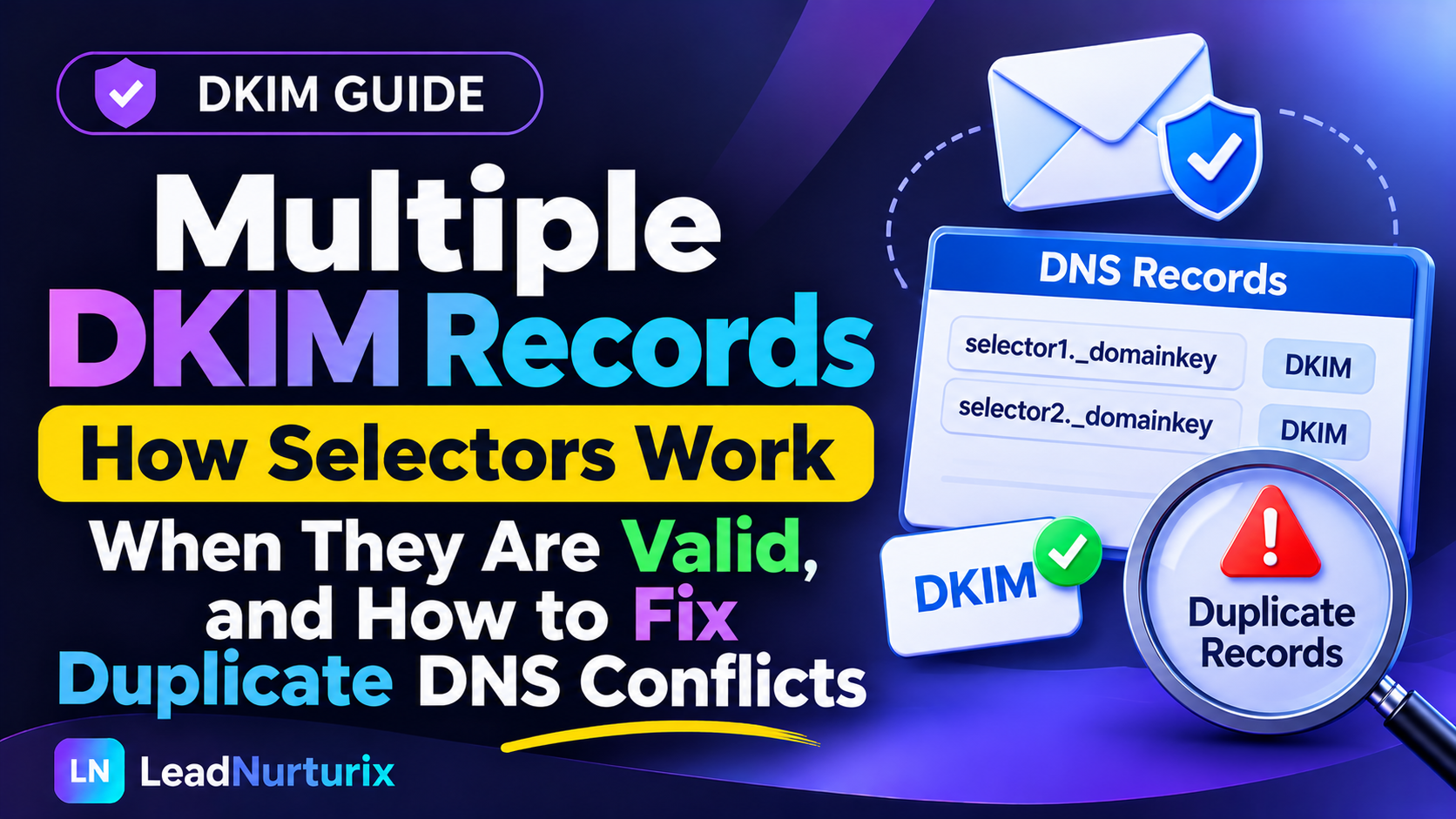
If you have found multiple DKIM records in your domain's DNS, you may wonder whether they are causing email authentication problems. Unlike SPF, DKIM does not require a domain to have only one record. You can publish multiple DKIM records using different selectors to authenticate messages from different email providers, servers, or services.
However, publishing multiple conflicting records under the same selector can cause DKIM verification problems. The key is understanding how selectors identify individual public keys and how receiving servers retrieve them. This guide explains when multiple DKIM records are normal, when they cause errors, and how to troubleshoot duplicate DNS entries safely.
Quick Answer: Can a Domain Have Multiple DKIM Records?
Yes. A domain can have multiple DKIM records as long as each key is published under its own selector.
For example, a domain might use separate selectors for Google Workspace, Microsoft 365, and a third-party email marketing service.
google._domainkey.example.com
selector1._domainkey.example.com
marketing._domainkey.example.com
These records can coexist because they have different DNS hostnames.
The problem occurs when multiple conflicting DKIM TXT records are published under the same selector hostname. According to RFC 6376, TXT records for a particular selector must be unique; multiple records in the same selector's TXT record set produce undefined results.
Remember: Multiple selectors are normal. Duplicate or conflicting records under one selector need investigation.
Table of Contents
- What Are Multiple DKIM Records?
- How DKIM Selectors Work
- Why Do Domains Need Multiple DKIM Records?
- When Do Multiple DKIM Records Cause Problems?
- How to Check Multiple DKIM Records in DNS
- How to Fix Duplicate DKIM Records
- Multiple DKIM Records for Different Email Providers
- Frequently Asked Questions
1. What Are Multiple DKIM Records?
DKIM stands for DomainKeys Identified Mail. It is an email authentication protocol that uses cryptographic signatures to verify messages.
When an email provider signs an outgoing message, it uses a private key. The corresponding public key is published in DNS so receiving mail servers can verify the signature.
A DKIM record is identified by two important components:
- Signing domain (
d=): The domain associated with the DKIM signature. - Selector (
s=): The identifier used to locate the corresponding public key in DNS.
For example, a message might contain:
DKIM-Signature: v=1; a=rsa-sha256;
d=example.com; s=google;
The receiving server uses the signing domain and selector to look up:
google._domainkey.example.comA different email service can use another selector and publish another public key without replacing the first one.
This is why a domain can have multiple DKIM records.
2. How DKIM Selectors Work
A selector is a name that identifies a particular DKIM public key.
Instead of publishing every email provider's key at the same DNS hostname, each service can use its own selector.
For example:
| Email service | Selector | DNS hostname |
|---|---|---|
| Google Workspace | google | google._domainkey.example.com |
| Microsoft 365 | selector1 | selector1._domainkey.example.com |
| Marketing platform | marketing | marketing._domainkey.example.com |
| Mail server | default | default._domainkey.example.com |
These are illustrative names. Actual selectors and record types depend on each provider.
Why are selectors important?
Selectors make it possible to maintain multiple public keys for the same signing domain.
They are also useful when changing or rotating DKIM keys. A service can publish a new selector and begin signing with the new key while the previous selector remains available for messages that were signed before the change.
RFC 6376 defines selectors specifically to support multiple concurrent public keys under one signing domain.
3. Why Do Domains Need Multiple DKIM Records?
There are several legitimate reasons to publish multiple DKIM records.
1. Using multiple email providers
A business may use Google Workspace for employee communication, Microsoft 365 for another department, and a third-party platform for marketing emails.
Each provider may generate its own DKIM configuration.
For example:
google._domainkey.example.com
selector1._domainkey.example.com
marketing._domainkey.example.com
Each selector identifies a separate public key.
2. Sending emails from different platforms
Businesses often use separate platforms for:
- Transactional emails.
- Marketing campaigns.
- Customer support notifications.
- CRM automation.
- Internal employee communication.
Each platform may sign messages using its own selector.
Maintaining separate selectors helps keep the authentication configurations independent.
3. DKIM key rotation
DKIM keys should be rotated periodically as part of good key management.
During a rotation, a new public key can be published under a new selector while the old key remains available temporarily.
For example:
dkim2025._domainkey.example.com
dkim2026._domainkey.example.com
The sending service can start using the new selector after the DNS record is available.
Keeping the old public key temporarily allows receiving servers to verify messages that were already signed using the previous key.
4. Microsoft 365 uses two selectors
Microsoft 365 uses two DKIM CNAME records for custom domains:
selector1._domainkey
selector2._domainkey
One selector is active while the other is reserved for key rotation.
Both CNAME records should be published even though only one selector is active at a time.
This is a good example of why seeing two DKIM records does not automatically indicate a DNS problem.
4. When Do Multiple DKIM Records Cause Problems?
Although multiple selectors are valid, certain DNS configurations can cause authentication failures.
Problem 1: Multiple TXT records under the same selector
Suppose your DNS contains two separate TXT records at:
default._domainkey.example.comOne contains an old public key and the other contains a different public key.
This creates ambiguity because the selector is expected to identify a unique DKIM key record.
RFC 6376 states that TXT records must be unique for a particular selector name. If multiple TXT records exist in the same record set, the results are undefined.
Solution: Keep the correct public key associated with the active signing configuration. Remove an obsolete or unintended duplicate only after confirming that no sender still uses it.
Problem 2: Incorrect selector configuration
Your email server may sign messages with:
s=googleBut the public key may have been published under:
default._domainkey.example.comThe receiving server looks up the selector specified in the DKIM-Signature header. It will not automatically search other selectors.
Solution: Check the s= value in the message header and publish the corresponding public key at the matching DNS hostname.
Problem 3: Old DKIM record removed too early
Suppose you change your email provider's DKIM selector but immediately delete the previous DNS record.
Messages signed before the change may still be in transit or awaiting verification.
If their original selector is no longer available, those signatures may fail verification.
Solution: Keep the previous public key available for an appropriate transition period before removing it.
Problem 4: TXT and CNAME conflict
A hostname cannot be configured with a CNAME alongside unrelated DNS records at the same name.
For example, if Microsoft 365 expects:
selector1._domainkey.example.comto be a CNAME, do not create a separate TXT public-key record at that same hostname.
Solution: Follow the provider's required record type. Microsoft 365 custom-domain DKIM uses CNAME records that point to Microsoft's DKIM infrastructure.
Problem 5: Wrong public key
A DKIM record may exist and still fail authentication if it contains the wrong public key.
This can happen when:
- A key from another domain was copied.
- The selector was changed without updating DNS.
- A previous key was restored accidentally.
- A DNS record was partially copied.
Solution: Compare the public key in DNS with the key generated by the email provider or server that signs the message.
5. How to Check Multiple DKIM Records in DNS
Before deleting anything, identify the selectors currently used by your email services.
Step 1: Inspect an email's DKIM-Signature header
Send a test email from your domain to an external mailbox.
Open the message's original headers and find the DKIM-Signature field.
For example:
DKIM-Signature: v=1; a=rsa-sha256;
d=example.com; s=marketing;
The important values are:
d=example.coms=marketing
These tell you which domain and selector were used for that signature.
Step 2: Identify the DNS hostname
Combine the selector, _domainkey, and signing domain.
For the example above:
marketing._domainkey.example.comThis is the hostname you need to inspect.
Step 3: Perform a DNS lookup
Query the selector hostname for its TXT or CNAME record, depending on the provider.
You can use a DNS lookup tool to inspect the published record.
The LeadNurturix DNS Lookup tool can help you inspect publicly visible DNS entries.
Step 4: Check each selector separately
Repeat the process for other services.
For example:
google._domainkey.example.com
selector1._domainkey.example.com
marketing._domainkey.example.com
Do not assume that every selector belongs to the same provider.
Step 5: Use a DKIM checker
Use the LeadNurturix DKIM Checker to inspect selector records and identify missing or incorrectly published keys.
A successful DNS lookup is useful, but you should also test an actual outgoing message to confirm that its signature passes.
6. How to Fix Duplicate DKIM Records
Use this process before removing or changing any DNS entry.
Step 1: List all DKIM selectors
Create a list of the DKIM hostnames currently published in your DNS zone.
For example:
| Selector hostname | Email service | Status |
|---|---|---|
google._domainkey | Google Workspace | Active |
selector1._domainkey | Microsoft 365 | Active |
marketing._domainkey | Marketing platform | Active |
default._domainkey | Old mail server | Needs review |
Step 2: Identify the service using each selector
Check your email platforms and server configurations.
Find out which selector each provider uses when signing messages.
Do not delete a record just because you do not recognize its name.
Step 3: Inspect duplicate hostnames
Look for multiple records at the exact same selector hostname.
For example:
default._domainkey.example.comIf two different TXT records exist there, determine which public key belongs to the current signing configuration.
Step 4: Confirm the correct key
Compare the DNS value with the public key supplied by the email provider.
If the provider uses a CNAME, confirm that the target matches its current configuration.
Step 5: Remove only confirmed obsolete records
Once you have verified that an old record is no longer required, remove it.
Do not delete valid records belonging to other selectors.
Step 6: Test outgoing email
Send a new message from each relevant email service.
Check the authentication results and confirm that DKIM passes for the expected signing domain.
7. Multiple DKIM Records for Different Email Providers
Here is an example of how multiple email services can use separate selectors for one domain.
Assume a business uses:
- Google Workspace for employee email.
- Microsoft 365 for another business system.
- A marketing platform for newsletters.
- MailEnable for application notifications.
The DNS configuration may contain several DKIM selectors:
| Service | Example selector | Record type |
|---|---|---|
| Google Workspace | google | TXT |
| Microsoft 365 | selector1 and selector2 | CNAME |
| Marketing platform | marketing | TXT or CNAME |
| MailEnable | default | TXT |
The actual records must be generated by the corresponding providers.
The important point is that these selectors are separate DNS hostnames. You do not combine their public keys into one DKIM TXT record.
Can multiple DKIM signatures appear in one email?
Yes. An email can contain multiple DKIM-Signature headers.
For example, a message might be signed by an email service and then receive another signature from an organization's own domain.
Each signature can use its own signing domain and selector.
Receiving systems evaluate the signatures separately. A message can therefore have more than one DKIM authentication result.
8. Frequently Asked Questions
Can a domain have multiple DKIM records?
Yes. A domain can publish multiple DKIM records using different selectors. This is common when multiple email providers or sending platforms authenticate the same domain.
Are two DKIM records a problem?
Not necessarily. Two records under different selectors are normally valid. Two conflicting TXT records under the same selector hostname can cause undefined verification results.
Can I have multiple DKIM selectors for one domain?
Yes. DKIM selectors allow a domain to maintain multiple public keys for different services, servers, or key-rotation periods.
Can I merge multiple DKIM records into one?
No. You should not combine different DKIM public keys into one record. Each selector identifies its own public key and must remain separate.
Should I delete old DKIM records?
Only after confirming that the corresponding selector is no longer used. Old keys may still be needed to verify messages signed before a key rotation.
Does Microsoft 365 require two DKIM records?
Yes. Microsoft 365 requires two selector CNAME records for custom-domain DKIM configuration. One selector is active, while the other supports future key rotation.
Can Google Workspace and Microsoft 365 use DKIM on the same domain?
Yes. They can use separate selectors and publish their own DKIM records, provided each service is configured correctly.
What happens if two DKIM records have the same selector?
If multiple TXT records are returned for the same selector hostname, RFC 6376 defines the result as undefined. The correct solution is to identify the intended key and remove the conflicting duplicate after confirming which service uses it.
How do I find which DKIM selector an email uses?
Open the original email headers and inspect the DKIM-Signature field. The s= parameter identifies the selector, while d= identifies the signing domain.
Do multiple DKIM records affect SPF?
No. DKIM and SPF are separate authentication protocols. Multiple DKIM selectors do not create an SPF lookup-limit problem, although each protocol still needs correct configuration.
Conclusion
Multiple DKIM records are not inherently a problem. In fact, they are often necessary when a business uses several email providers, sending platforms, or different DKIM keys.
The important distinction is between multiple valid selectors and duplicate records under the same selector hostname. Different selectors can coexist, while conflicting public-key records at one selector can create unpredictable verification results.
Before deleting any DKIM record, inspect your email headers, identify the selector, check which service uses it, and confirm the correct public key. This helps maintain authentication across all your sending platforms without disrupting existing email traffic.
Editorial Policy
LeadNurturix publishes educational content about email authentication, DNS configuration, and email deliverability. Technical explanations are based on email authentication standards and provider documentation.
Content Transparency
DNS examples in this article use placeholder domains and selector names. Actual selector names and record types depend on the email provider. Always confirm the required configuration with the service that signs your messages.
About the Author
Talha Rafi is an Email Deliverability Specialist and B2B Lead Generation professional with over five years of experience in email infrastructure, DNS authentication, cold email systems, and outreach optimization. Through LeadNurturix, he shares practical guidance to help businesses improve their email authentication and sending infrastructure.